

 By Kaustubh Saini
Almost everything a program shows a person is text. Names, error messages, the contents of a file, a line scraped off a web page. Python keeps all of that in a string, and once you start writing real code you'll reach for strings constantly. They're easy to work with, which is a nice place to start.
We'll go through making strings, picking out single characters by their position, taking slices, why you can't edit a string in place, and how to slot variables into text with f-strings. Every section has a small example, so run them as you read.
What is a string?
A string is a run of characters written inside quotes. Those characters can be letters, digits, spaces, even punctuation. Whatever sits between the quotes counts as part of the text.
greeting = "Hello, world"
print(greeting)
print(len(greeting))
# Output:
# Hello, world
# 12
The len() function counts the characters, and that count includes the space and the comma too.
Three ways to write a string
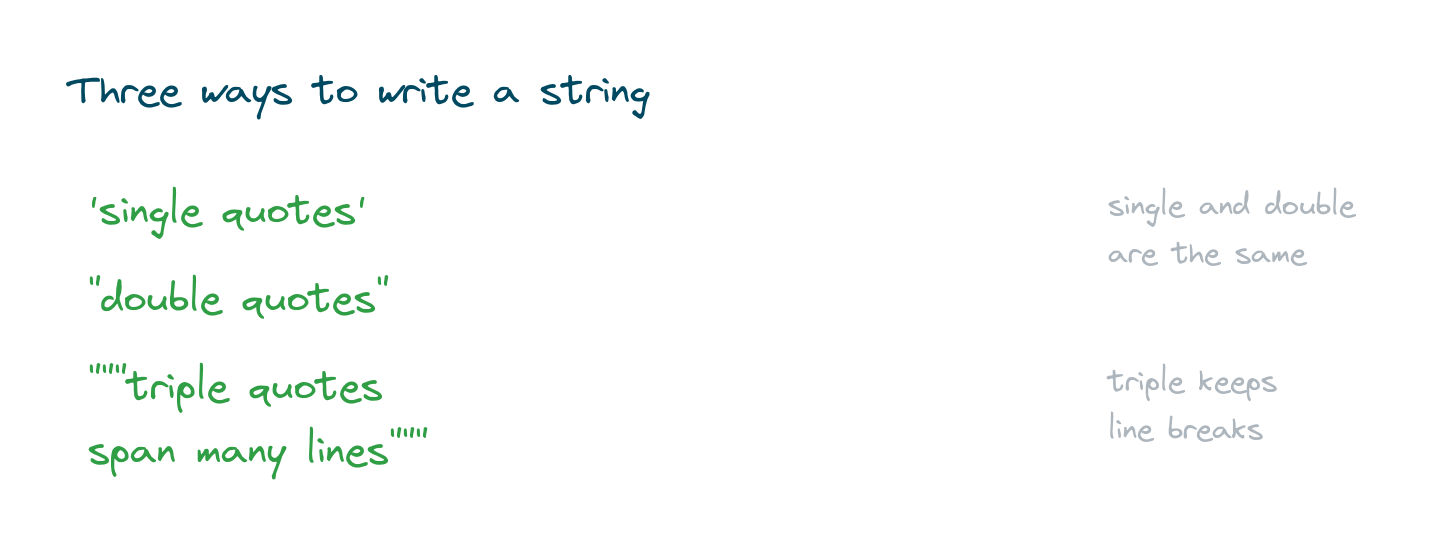
You can use single quotes, double quotes, or triple quotes. Single and double behave exactly the same, so pick whichever doesn't clash with the quotes inside your text. Triple quotes are the special one, since a string written with them can run across several lines.
a = 'single'
b = "double"
c = """this string
spans two lines"""
print(a, b)
print(c)
# Output:
# single double
# this string
# spans two lines
Double quotes come in handy when your text already has an apostrophe, like "it's fine". You don't need any extra effort, the apostrophe just sits inside the double quotes.
Reaching characters by index
Every character in a string sits at a numbered position called an index, and the count starts at 0 for the first one. You can also count backwards with negative numbers, where -1 lands on the last character.
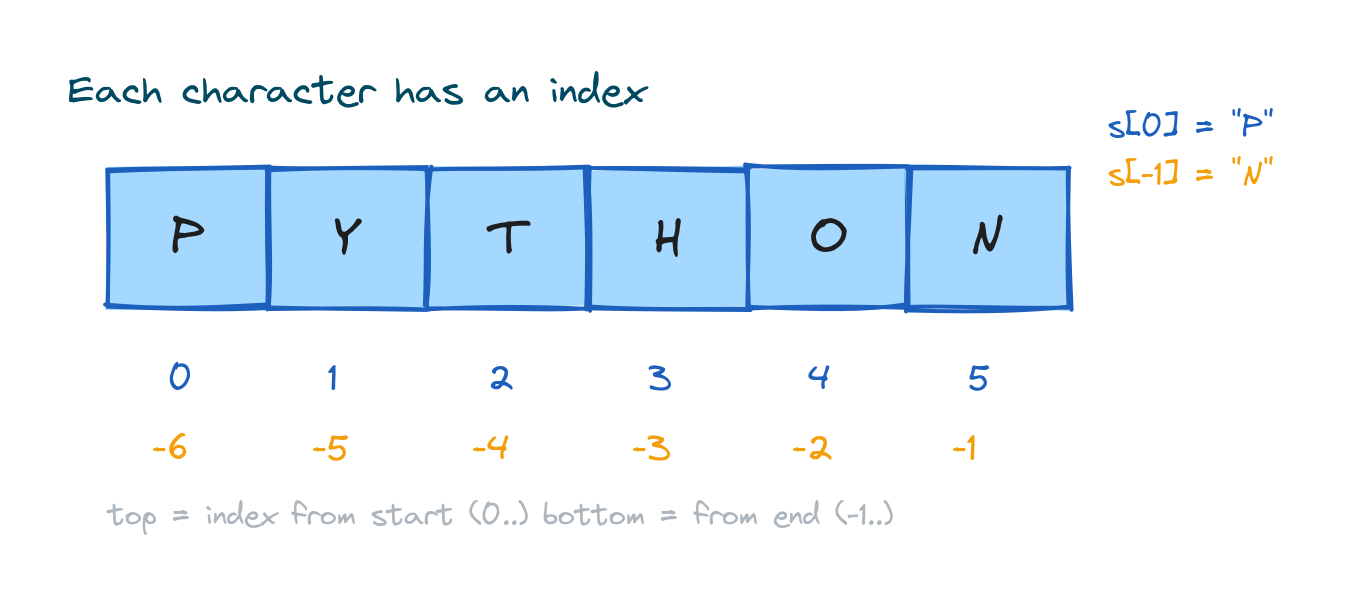
s = "PYTHON"
print(s[0])    # P  (first)
print(s[-1])   # N  (last)
print(s[2])    # T
# Output:
# P
# N
# T
That counting-from-zero habit takes a moment to stick. The first character is s[0], not s[1]. Once it clicks, you'll stop thinking about it.
Taking a slice
A slice grabs a range of characters with s[start:stop]. The character at start is included, but the one at stop is left out. If you leave a side blank, Python reads it as "from the start" or "to the end".
![Slicing the string PYTHON with s[1:4] highlighting the characters Y, T, H](https://favtutor.com/resources/images/uploads/python-strings-slice.png)
s = "PYTHON"
print(s[1:4])   # YTH  (stop index 4 not included)
print(s[:3])    # PYT
print(s[3:])    # HON
# Output:
# YTH
# PYT
# HON
There's a fuller lesson on slicing steps and patterns further along in the series, but this is the version you'll use day to day.
Strings cannot be changed in place
Strings are immutable. Once a string exists, you can't reach in and swap out a character. Try to assign to a position and Python raises a TypeError. What you do instead is build a fresh string.
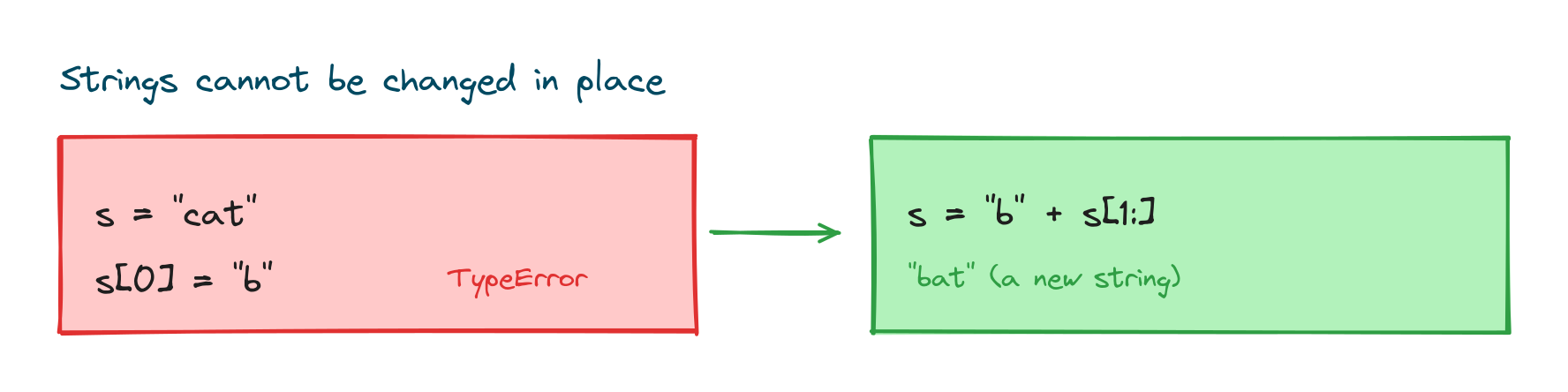
s = "cat"
# s[0] = "b"   # TypeError: strings can't be changed in place
s = "b" + s[1:]
print(s)
# Output: bat
It sounds restrictive, but in practice it almost never gets in your way. Building new strings is cheap, and string methods hand you new strings automatically.
Joining strings together
You stick strings together with +, which is called concatenation, and you repeat one with *. If you want to join a number to a string, convert the number first or reach for an f-string.
first = "Sara"
last = "Khan"
print(first + " " + last)
print("ha" * 3)
# Output:
# Sara Khan
# hahaha
Putting values inside text with f-strings
When you want to weave variables into a message, the tidiest option is an f-string. Put an f right before the opening quote, then write any variable or small expression inside curly braces.
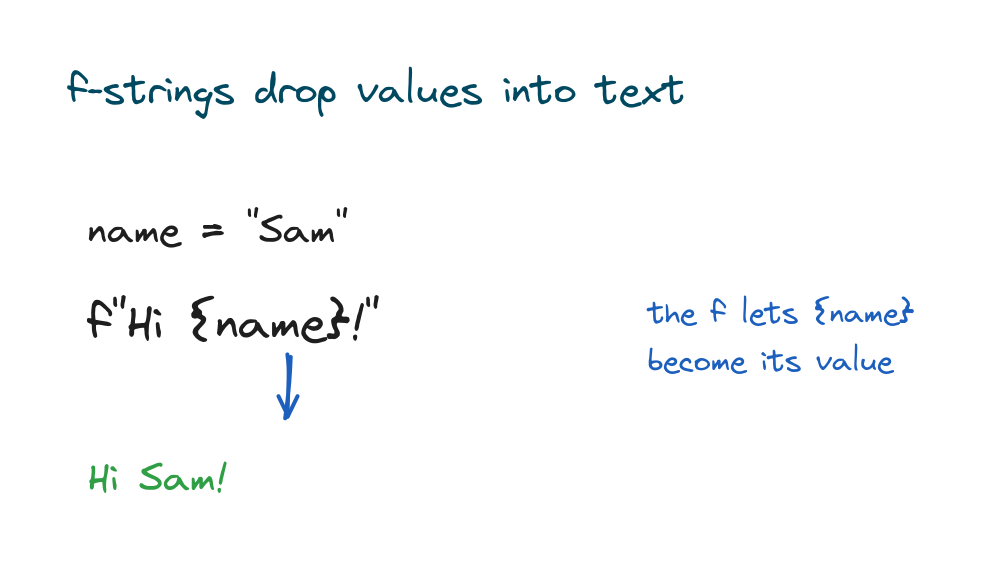
name = "Sam"
age = 25
print(f"{name} is {age} years old")
print(f"Next year: {age + 1}")
# Output:
# Sam is 25 years old
# Next year: 26
You'll have seen f-strings before in the lesson on the Python print() function, since printing and formatting tend to show up together.
Escape sequences for special characters
A few characters need a backslash in front of them to live inside a string, and that combination is an escape sequence. The two you'll meet first are \n for a new line and \t for a tab.
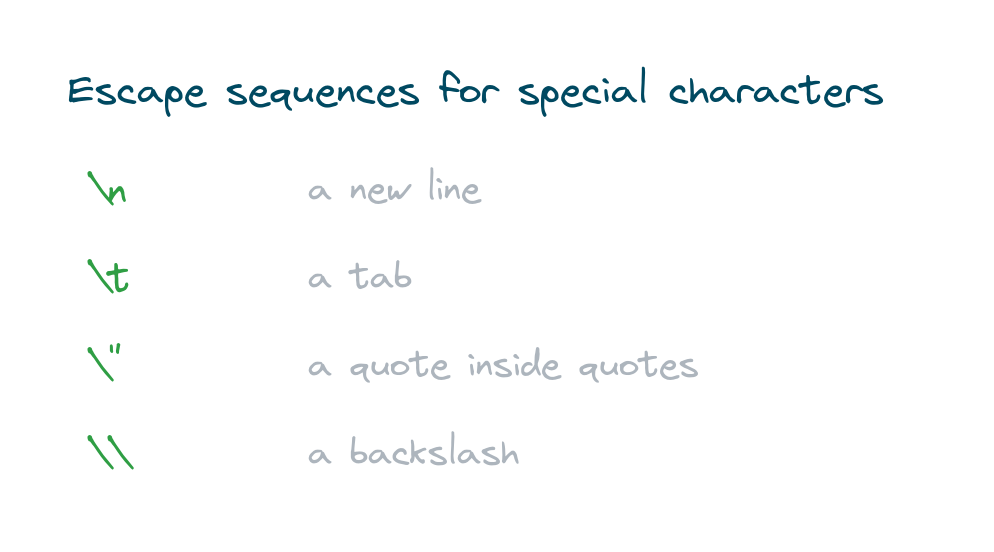
print("Line one\nLine two")
print("Name:\tSara")
print("She said \"hi\"")
# Output:
# Line one
# Line two
# Name:	Sara
# She said "hi"
A quick look at string methods
Strings ship with plenty of built-in methods for changing case, trimming spaces, searching, and splitting text apart. They each get a proper treatment in the next lesson, but here's a small taste of what they look like.
text = "  Hello  "
print(text.strip().upper())
# Output: HELLO
Practice exercises
Run each one and check the output against what you expected.
First and last character
Print the first and last characters of "Python".
# Solution
s = "Python"
print(s[0], s[-1])
# Output: P n
Take a slice
Print the first three characters of "programming".
# Solution
word = "programming"
print(word[:3])
# Output: pro
Build a sentence
Use an f-string to print "I have 3 apples" from variables.
# Solution
count = 3
fruit = "apples"
print(f"I have {count} {fruit}")
# Output: I have 3 apples
Common mistakes
- Starting the index at 1. The first character is
s[0], nots[1]. - Expecting the stop index to be included.
s[1:4]stops before index 4. - Trying to change a character. Strings are immutable, so build a new string instead.
- Adding a number to a string. Convert it with
str()or use an f-string. - Forgetting the f. Without
f,"{name}"prints the braces literally.
Frequently asked questions
How do I create a string in Python?
Wrap text in single, double, or triple quotes, like name = "Sara". Triple quotes let the string run across multiple lines.
How do I get a character from a string?
Use its index in square brackets. s[0] is the first character, s[-1] is the last.
What is string slicing?
It pulls a range of characters with s[start:stop]. The start index is included and the stop index isn't.
Can I change a character in a string?
No, strings are immutable. Build a new string instead, usually with slicing or concatenation.
What is an f-string?
It's a string with an f before the quotes that lets you drop variables and expressions inside curly braces, like f"Hi {name}".
How do I add a new line inside a string?
Use the escape sequence \n. So "line one\nline two" prints across two lines.
Key takeaways
- A string is text inside single, double, or triple quotes.
- Characters have an index starting at 0, and negative indexes count from the end.
- Slicing with
s[start:stop]takes a range, excluding the stop index. - Strings are immutable, so you build new strings rather than editing in place.
- Use an f-string to drop variables neatly into text.
Once you're comfortable creating and slicing strings, the real workhorses are the methods that clean, search, and reshape them. That's the natural next stop, so carry on with Python string methods.